XPSURF

XPSURF by Sunfish Software

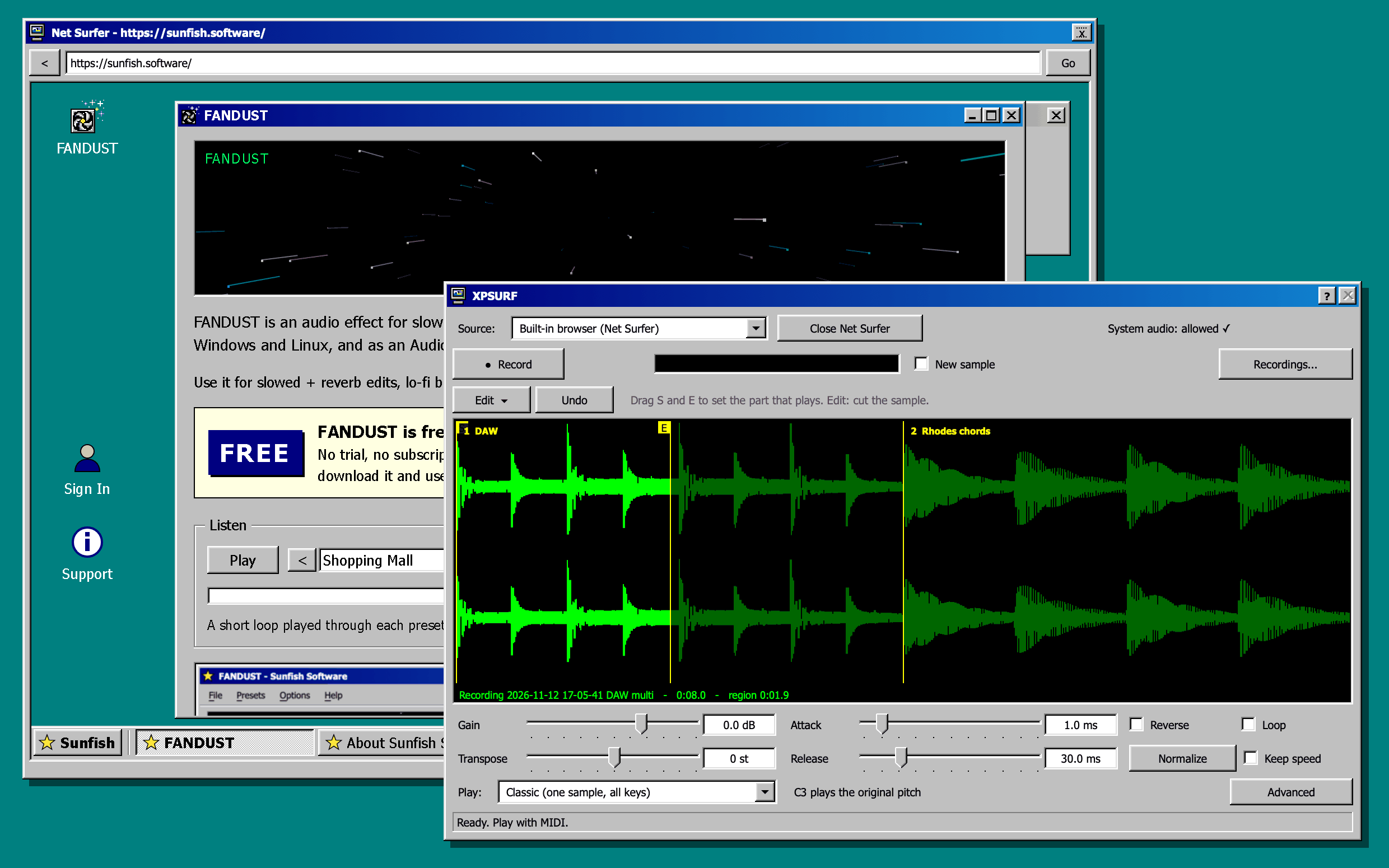
Record any sound on your computer and play it as a sampler. A video in the browser, one app, the whole system or your DAW track: press Record, press Stop, and the take is on your keys.

$19.99 plus tax, one-time. No subscription.
Buy Now
What it does
Record
From one app, the whole computer, or the DAW track that feeds the sidechain. As long as you like; you see the take while it comes in.
Net Surfer
A built-in browser in its own window. XPSURF records only what plays in it.
Crops
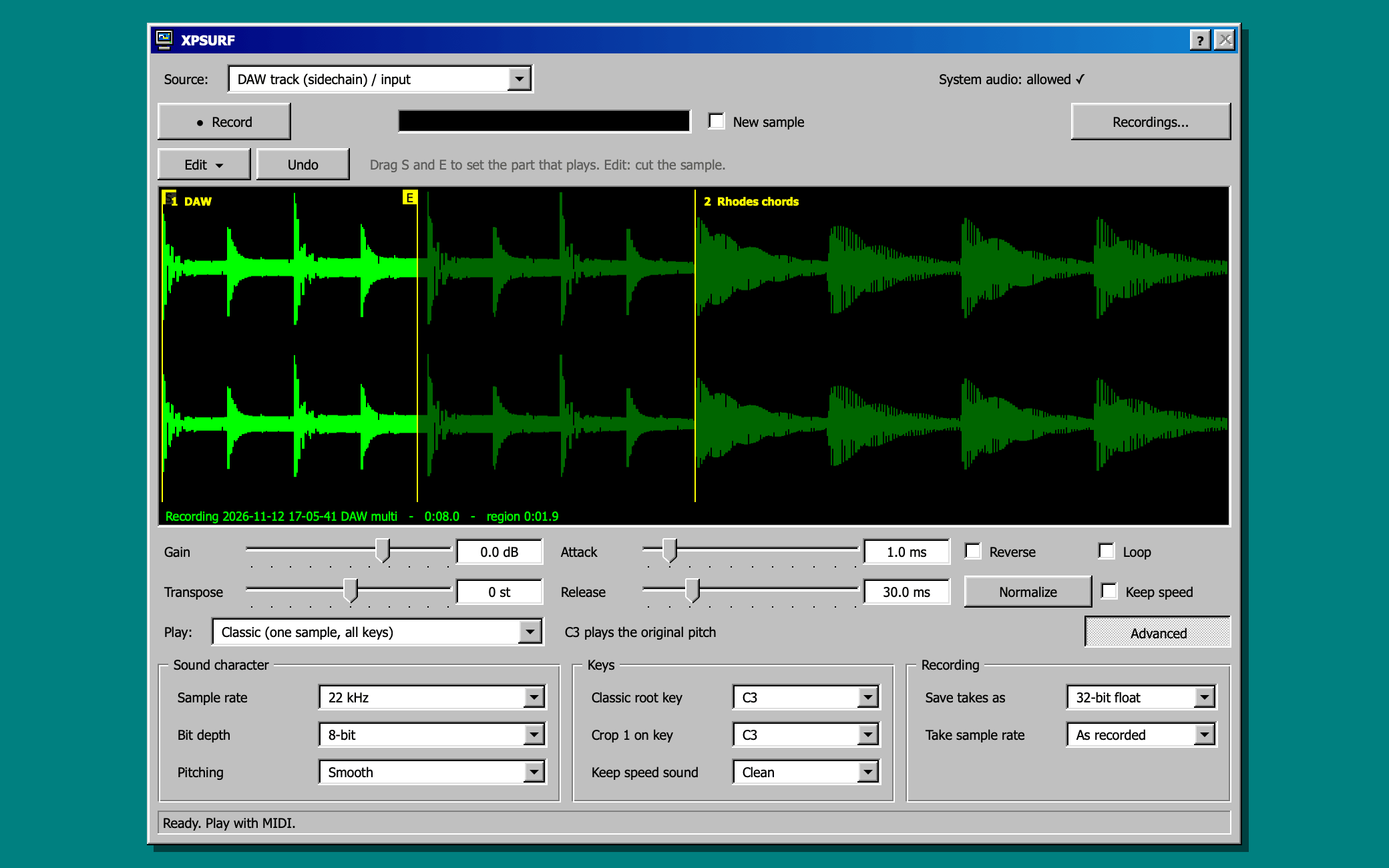
Cut the take into parts, each on its own key. Auto Crop finds the hits. Every crop has its own reverse, attack and release.
Multitrack
Record again and the take is added to the end of the sample: one line with several recordings to chop across. Tick New sample to start fresh.
Keep speed
Change the pitch without changing the length. Clean (studio quality) or Vintage (grainy, like old samplers).
Classic
Or play the whole sample across the keyboard, with start, end, loop and reverse.
Character
Lower sample rate, fewer bits, raw pitching.
Edit
Crop, cut and save parts as new samples, with Undo.
Recordings
Every take saved as WAV. Listen, load, append and rename; add your own sample folders.
Window
Windows 98 look, scalable from 75 to 300 %.
Price
$19.99 plus tax, one-time. Activate it on up to 3 computers.
Version
1.0 (changelog), install help
System requirements
  • macOS 14.2 or later for recording apps and system audio (macOS 12 or later for the DAW track and input), Apple Silicon or Intel
  • Windows 10 (version 2004) or later, or Windows 11, 64-bit
  • Linux x86_64 with PipeWire or PulseAudio, e.g. Ubuntu 22.04 or later, Debian 12, Fedora
  • A VST3 or Audio Unit host that can load instruments, such as Ableton Live, Logic Pro, FL Studio, Bitwig or Reaper; or the standalone app
  • A Sunfish account and an internet connection for activation
Questions
Which DAWs?
Any host that loads VST3 or Audio Unit instruments: Ableton Live, Logic Pro, FL Studio, Bitwig, Reaper, Cubase, Studio One and more. Or use the standalone app.
What can it record?
One app (a browser, a game, a music player), the whole computer, the built-in Net Surfer browser, or the DAW track that feeds its sidechain.
Windows and Linux?
Both are included in your purchase, with the same features as on the Mac: recording apps, the whole system and Net Surfer. Linux is tested on Ubuntu, Debian and Fedora, with PipeWire and PulseAudio. The macOS version is signed and notarized by Apple.
How many computers?
Activate it on up to 3 of your computers. Move an activation any time in My Account.
Not happy?
Full refund within 14 days, no reason needed. Refund policy.
Can I sample anything?
Technically yes. Legally, use what you are allowed to use: your own sounds, free or licensed material, or clear your samples before you release a track.

You need a Sunfish account to download and activate XPSURF. You can pay first: afterwards we e-mail you a link to create the account with the address you paid with. Already have an account? Sign in first and it goes straight into it.

Secure checkout by Paddle, our reseller (merchant of record). They add your country's VAT or sales tax and send the invoice. Record only what you are allowed to use.

About Sunfish Software

Sunfish Software makes audio plugins with a Windows 98 look: FANDUST (free) and XPSURF.

Buy once, keep it: no subscription. Your Sunfish account holds your plugins and activates them on up to three computers.